How Balmve Partners works, in pictures
Find your step and look at the picture. The numbers show where to look and tap, in order.
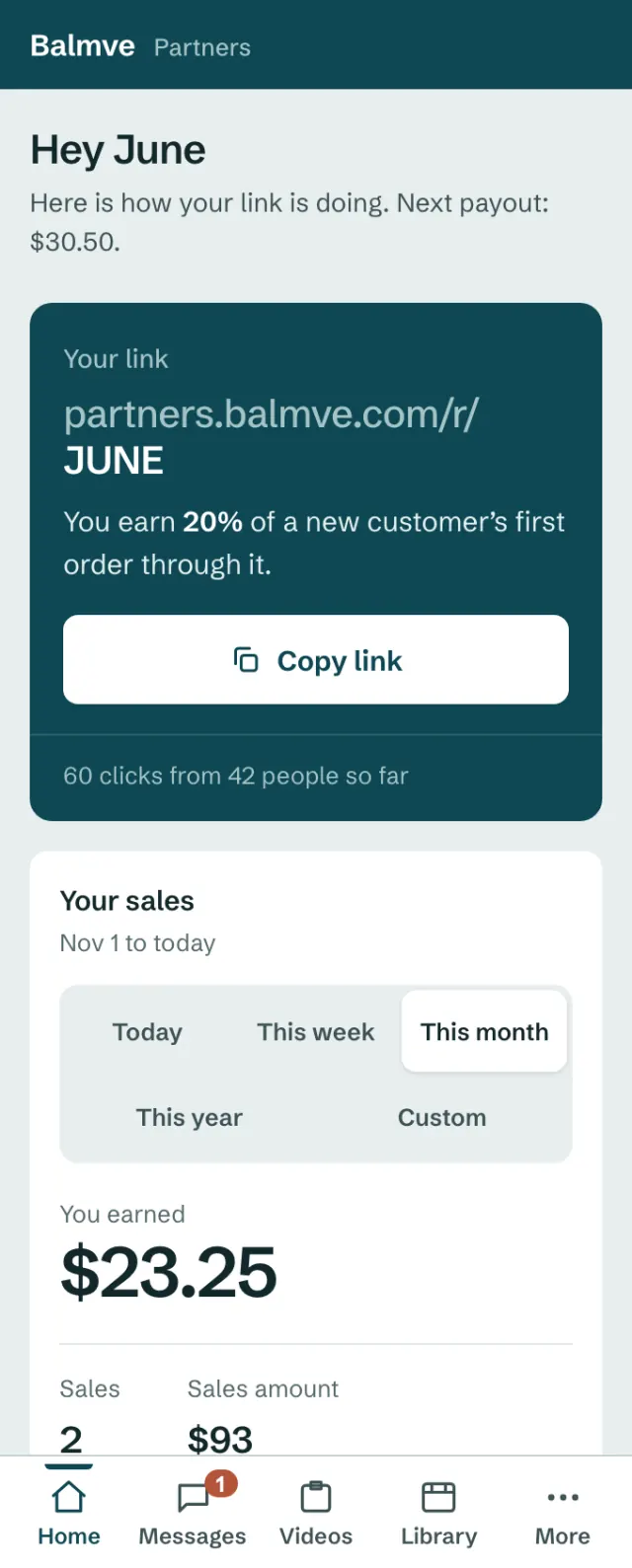
Sign in
There is no password. We email you a button that signs you in.
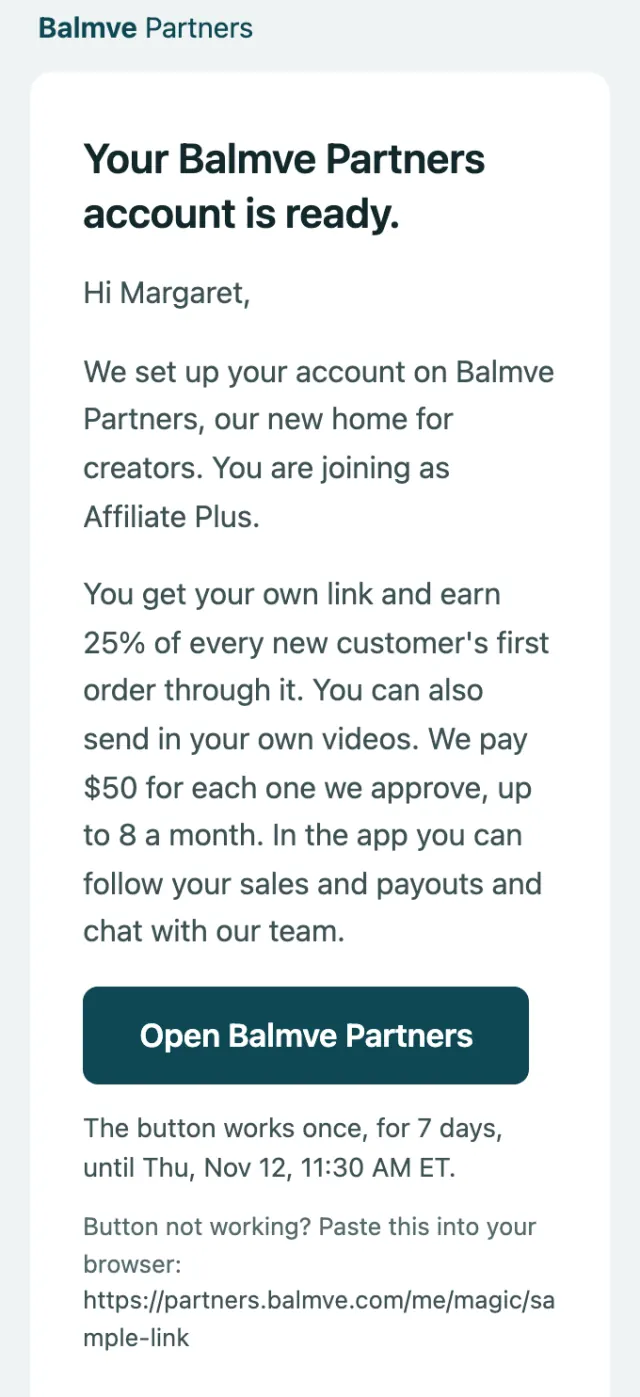
Open our email and tap the big button.
- 1Open Balmve Partners
The button in your invite works once, for 7 days.
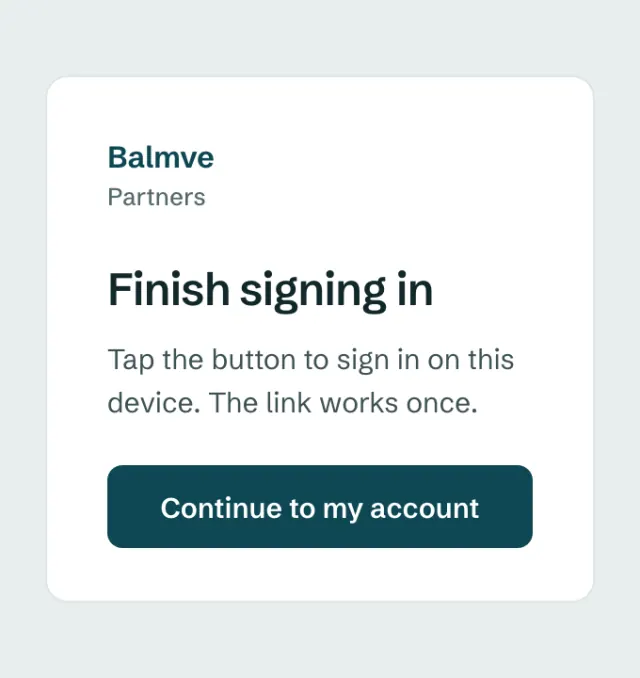
Tap the button once to finish.
- 1Continue to my account
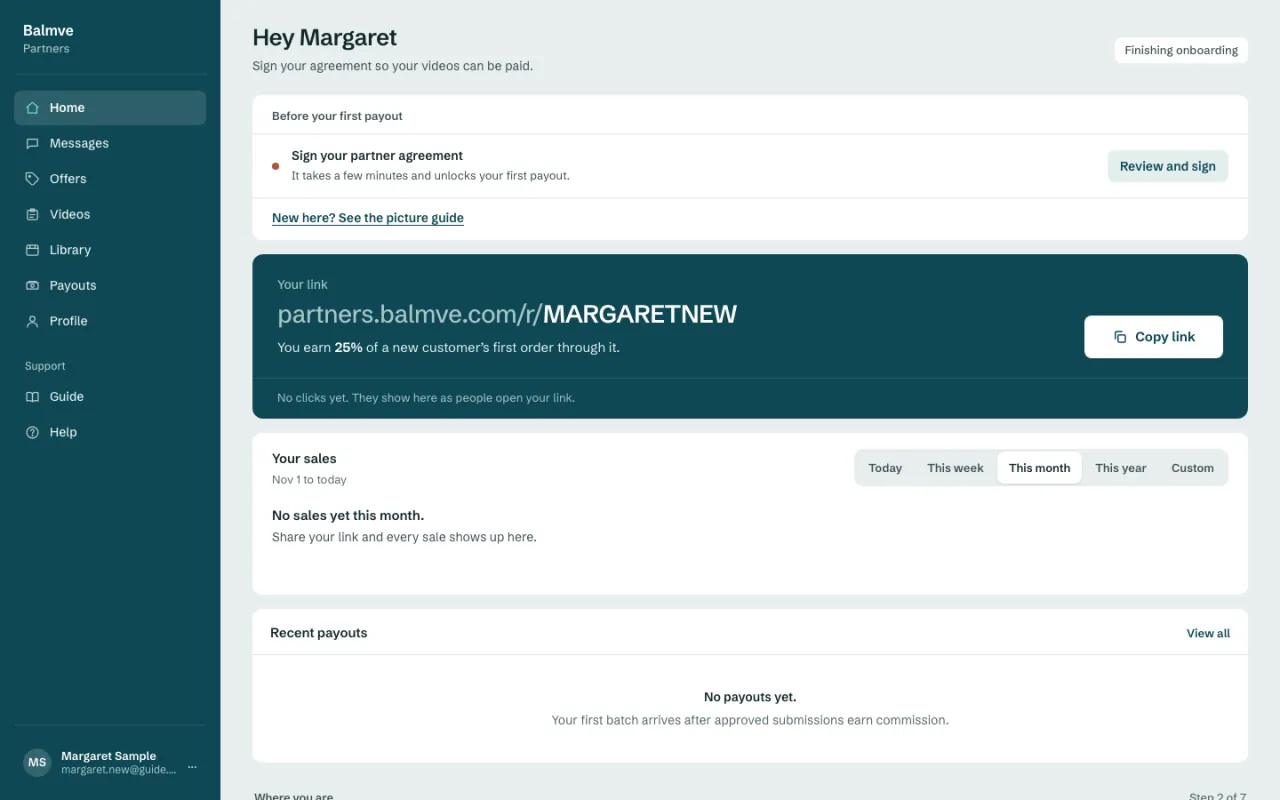
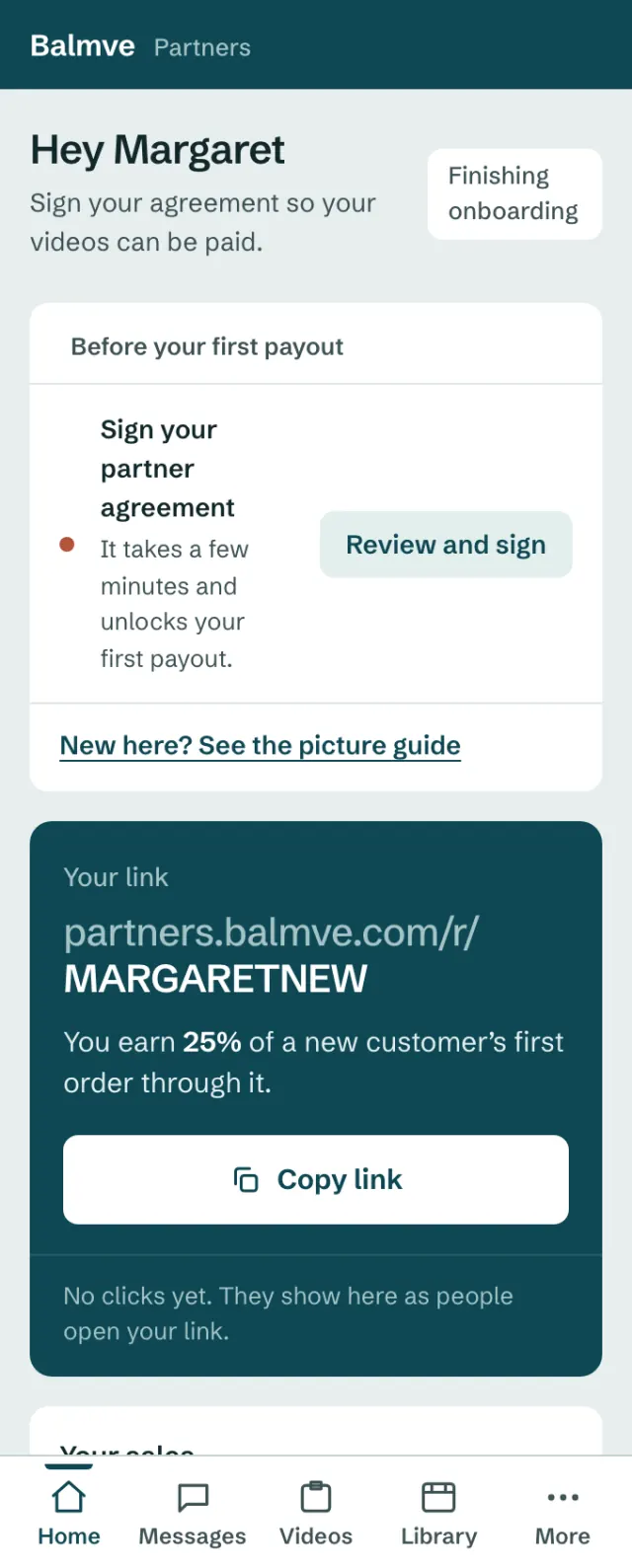
You are in. This is your Home page.
- 1The menu takes you to every page
- 2This guide, any time you need it. On a phone, it is under More.
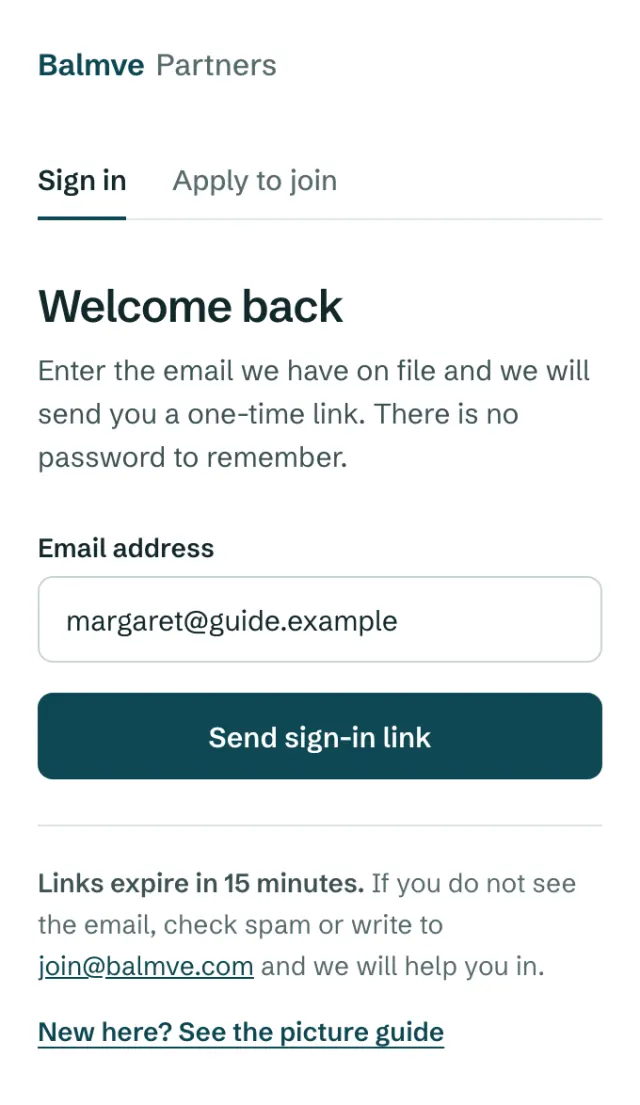
Button used or too old? Ask for a new one here.
- 1Type your email
- 2Send sign-in link
Each new link works for 15 minutes.
Sign your Partner Agreement
You sign once. Then your videos and payouts can start.
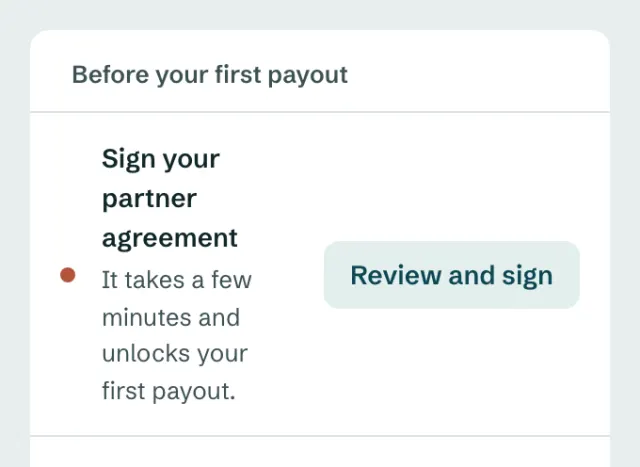
On Home, tap Review and sign.
- 1Review and sign
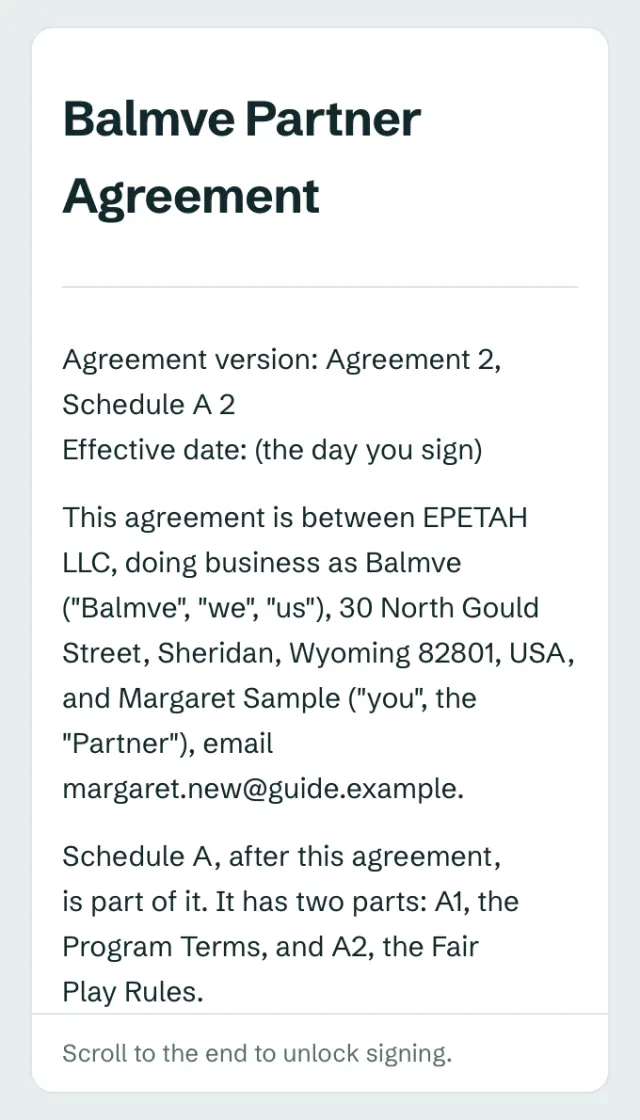
Read it, and scroll to the end.
- 1Scroll down inside this box
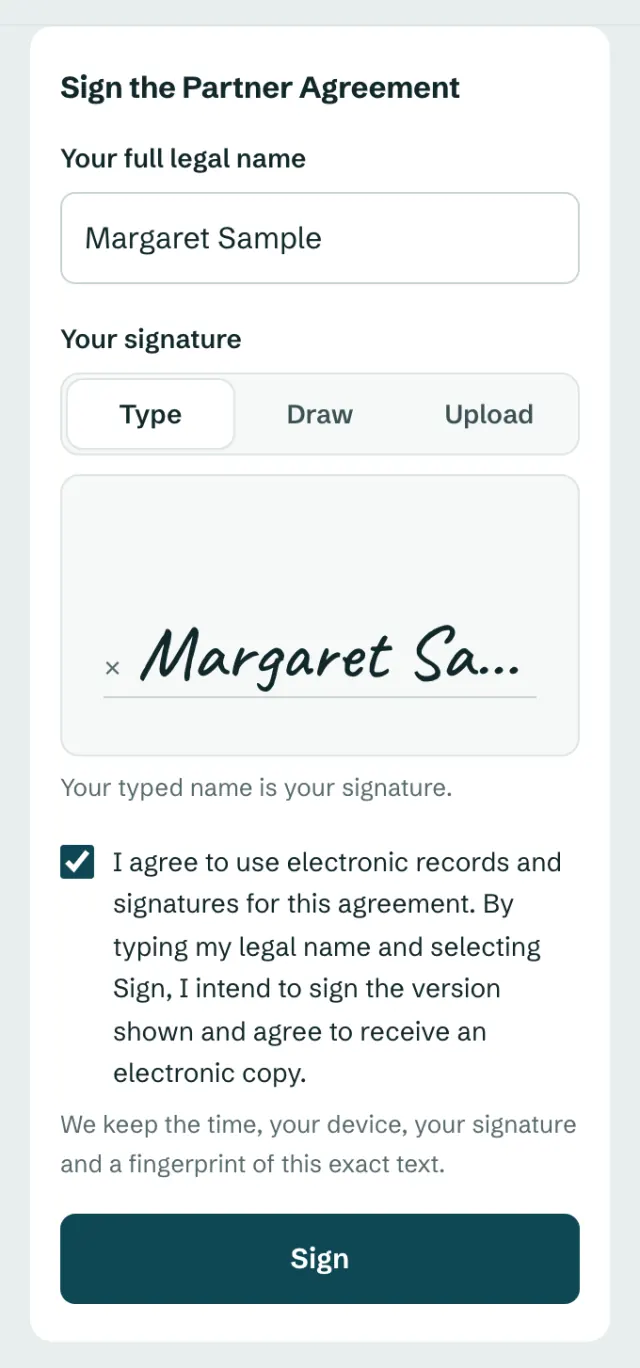
Type your name, tick the box, tap Sign.
- 1Your full name
- 2Tick the box
- 3Sign
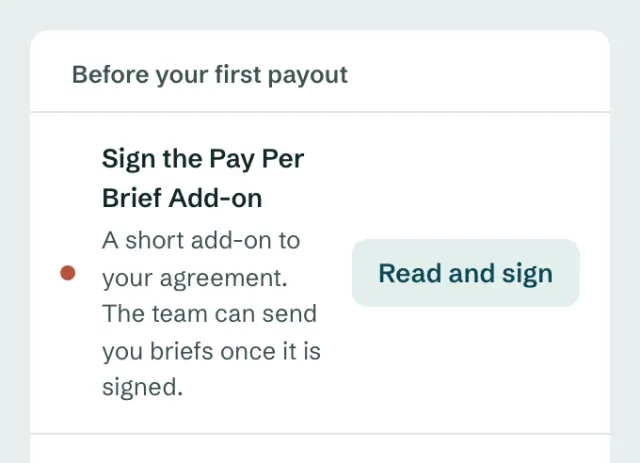
On Pay Per Brief? Then sign the short add-on the same way.
- 1Read and sign
It shows on Home once your Partner Agreement is signed.
Share your link
When a new customer buys through your link, you earn a share of the order.
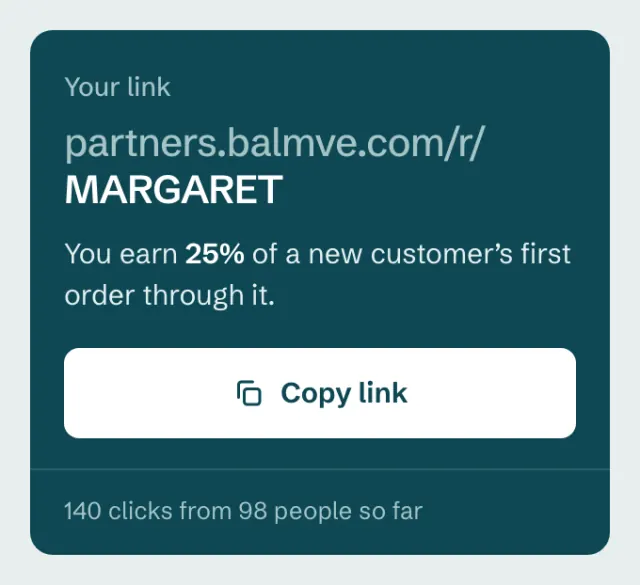
Tap Copy link. Paste it in your post, bio or story.
- 1Copy link
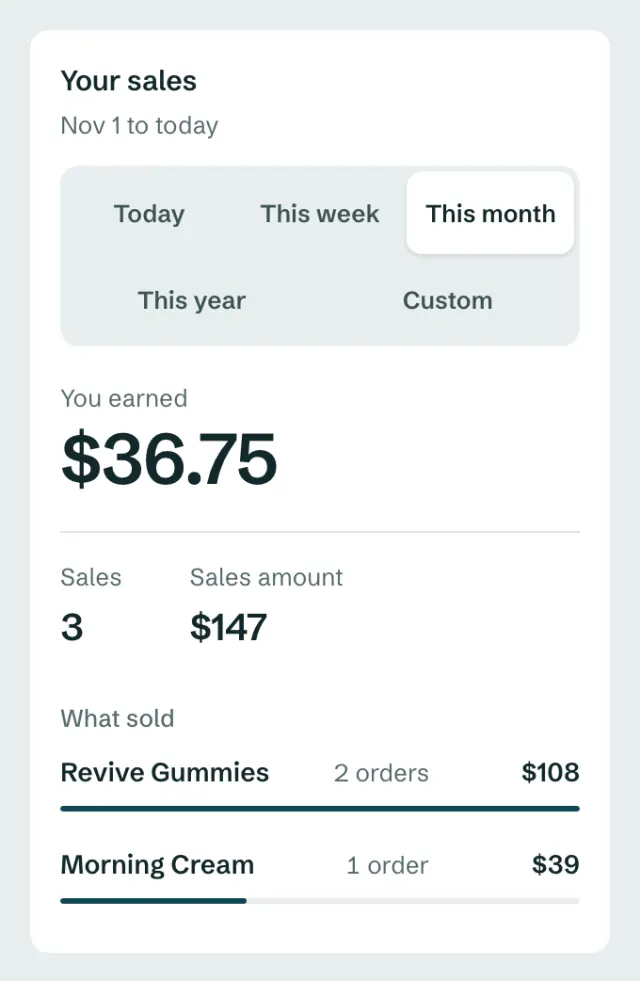
Your sales show on Home.
- 1Pick the dates
- 2What you earned
Upload your portfolio video
We ask everyone for one video, so we can see your style.
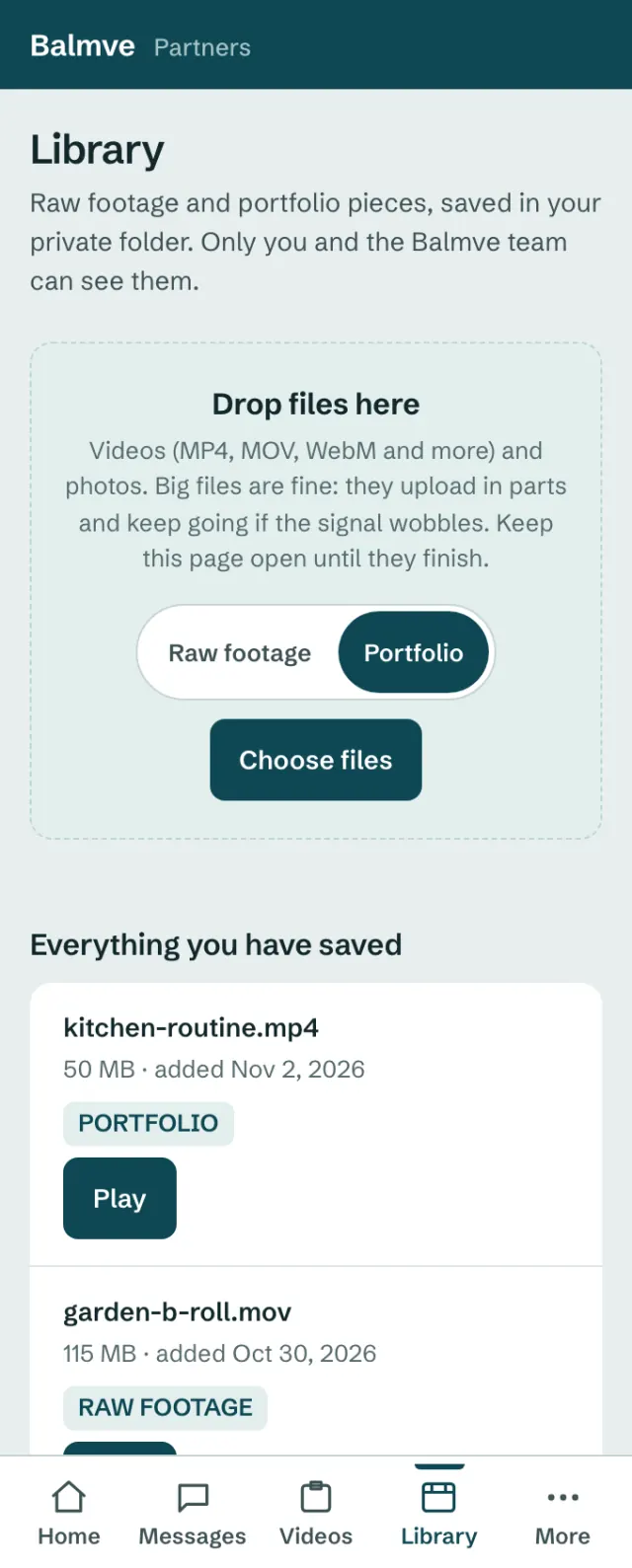
Open Library, pick Portfolio, then Choose files.
- 1Library
- 2Portfolio
- 3Choose files
- 4Done. It shows here.
Keep the page open until the upload ends.
Send in your own videos
We pay for each video we approve: $50 on Affiliate Plus and $75 on Affiliate Pro, up to 8 a month.
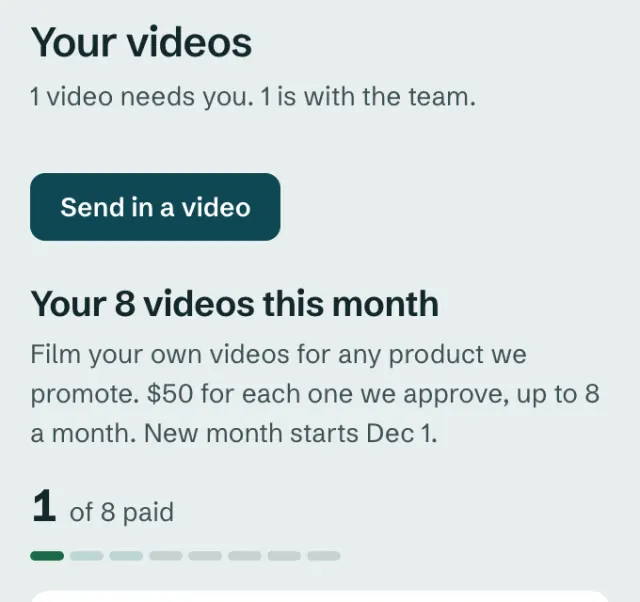
Open Videos and tap Send in a video.
- 1Send in a video
- 2Your videos this month
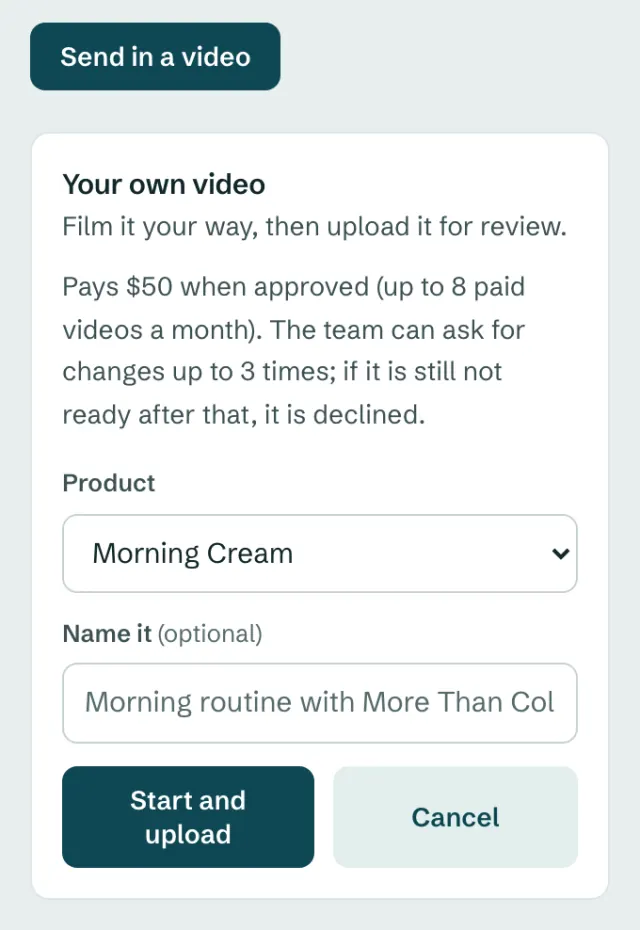
Pick the product, then upload your video.
- 1Pick the product
- 2Start and upload
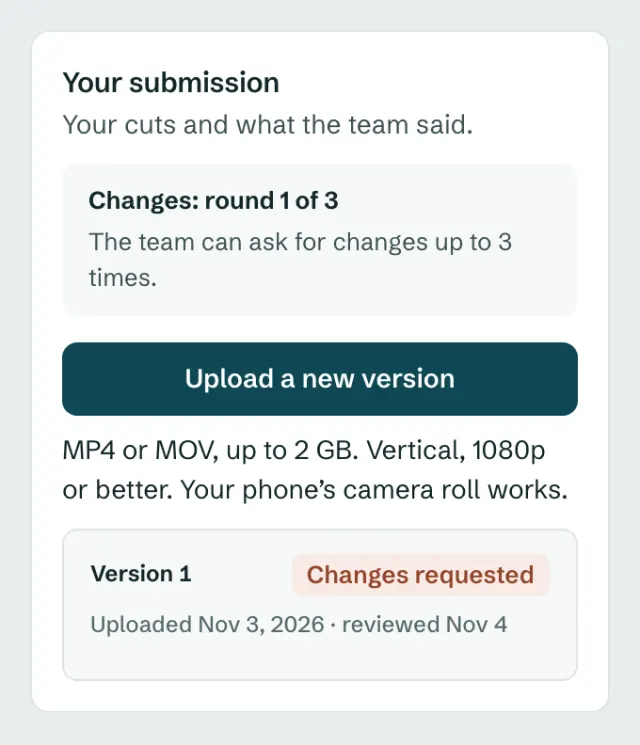
Asked for changes? Fix it and upload it again.
- 1Which round of changes this is
- 2Upload a new version
We can ask for changes up to 3 times.
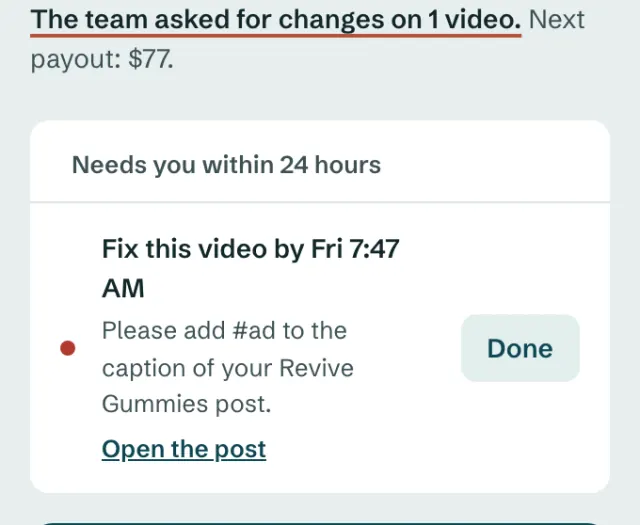
If we ask you to fix a post, you have 24 hours.
- 1Tap Done when it is fixed
Pay Per Brief
We send you a brief at your set price: a 1-minute video and 4 short clips.
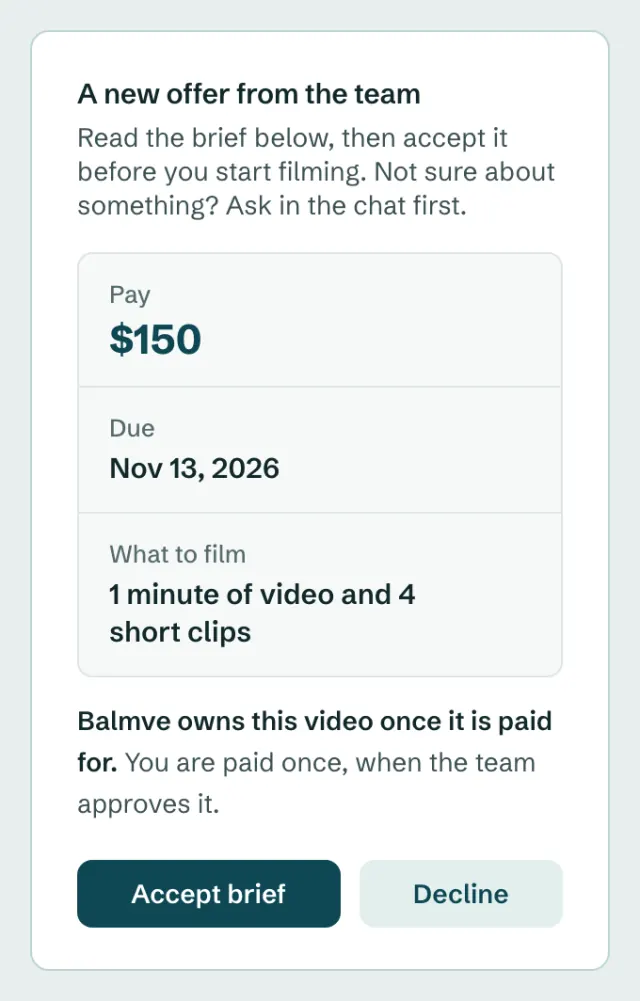
Read the brief. Then tap Accept brief.
- 1Your pay and due date
- 2Accept brief
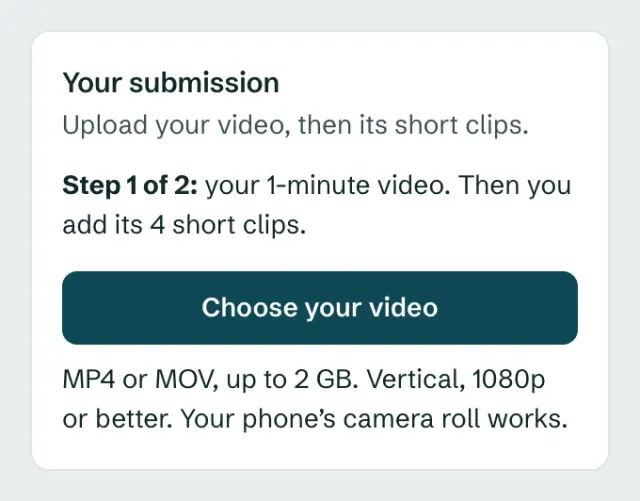
Upload your video first, then the 4 clips.
- 1Choose your video
We may ask for changes. Once we approve it, we pay you on the 25th.
Get paid
We pay on the 25th of each month, once you have $25 or more.
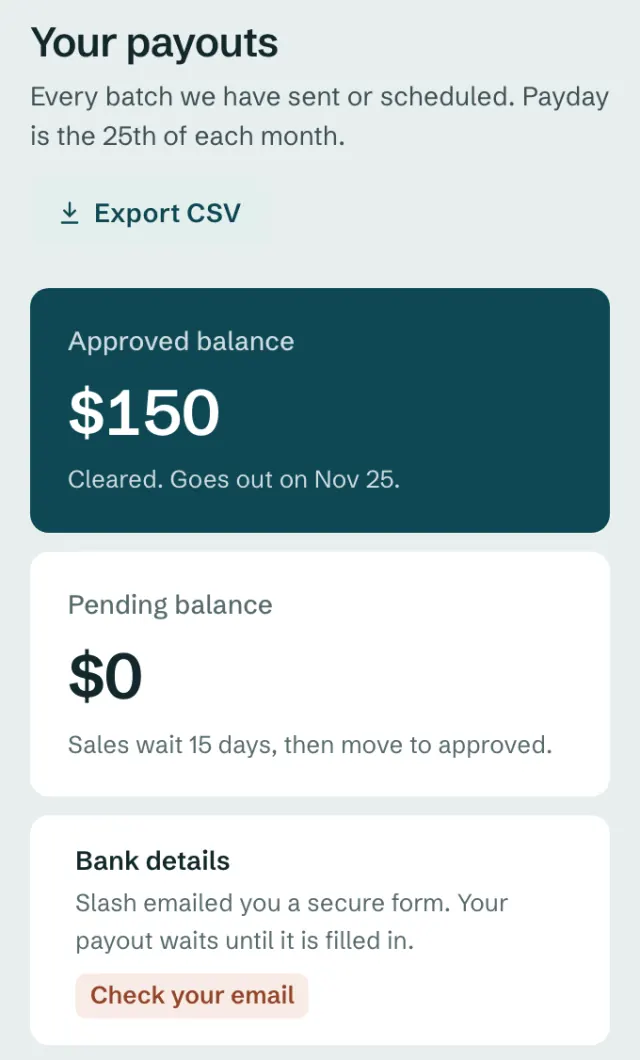
Your money, and the day it goes out.
- 1Ready to pay out
- 2Your bank details
Slash, the bank that pays you, emails you a secure form. Fill it in once.
Talk to us
Questions? Write to the team in Messages.
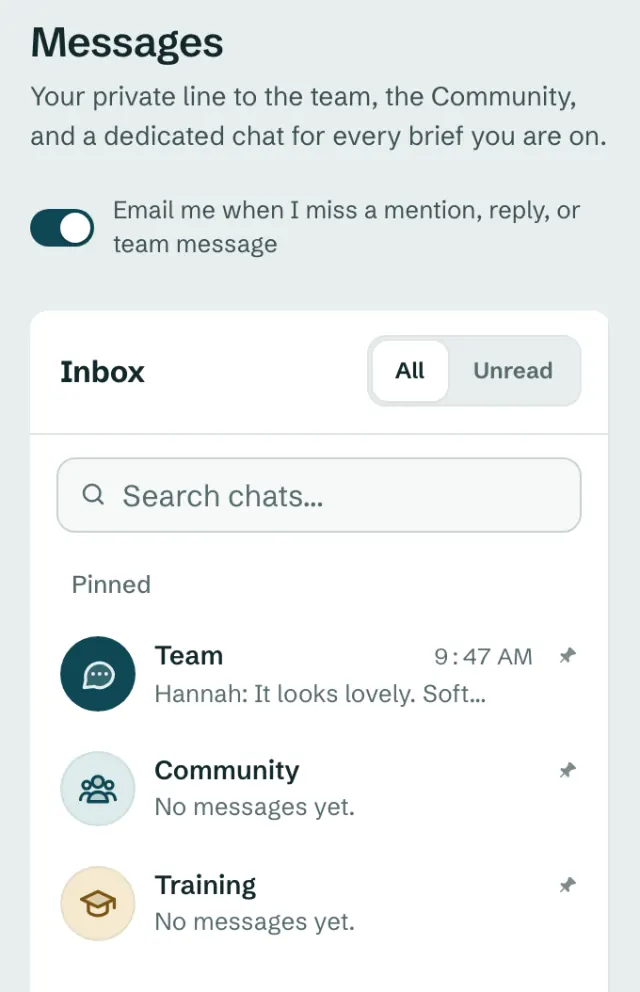
Open Messages and tap Team.
- 1Team
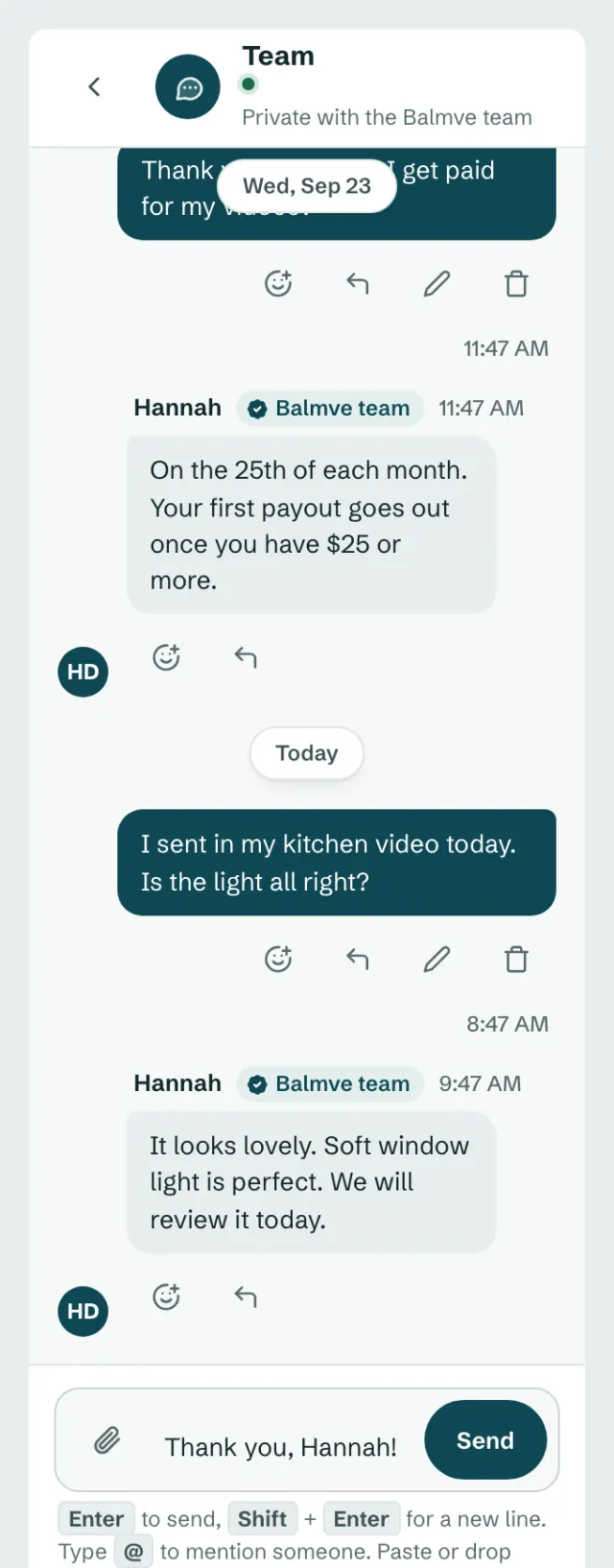
Type your message and tap Send.
- 1Type here
- 2Send
Come back any time
This guide is in the menu. On a phone, tap More, then Guide.
Still stuck? Email us at join@balmve.com. We are happy to help.
Open Balmve Partners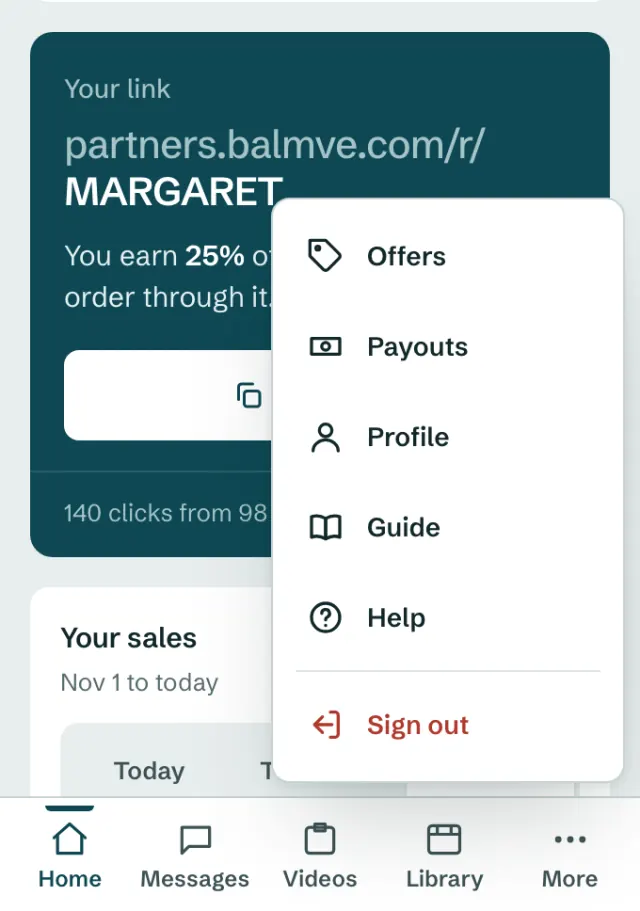
Find this guide on a phone.
- 1More
- 2Guide